You can upgrade from one membership tier to the next, for example from Plus to Pro, Plus to Elite, or Pro to Elite, from your Accounts page.
Likewise, individual add-on licenses can be upgraded from a license that is good for a single site to a license that is good for up to 5 or up to 20 sites, or from 5 to 20.
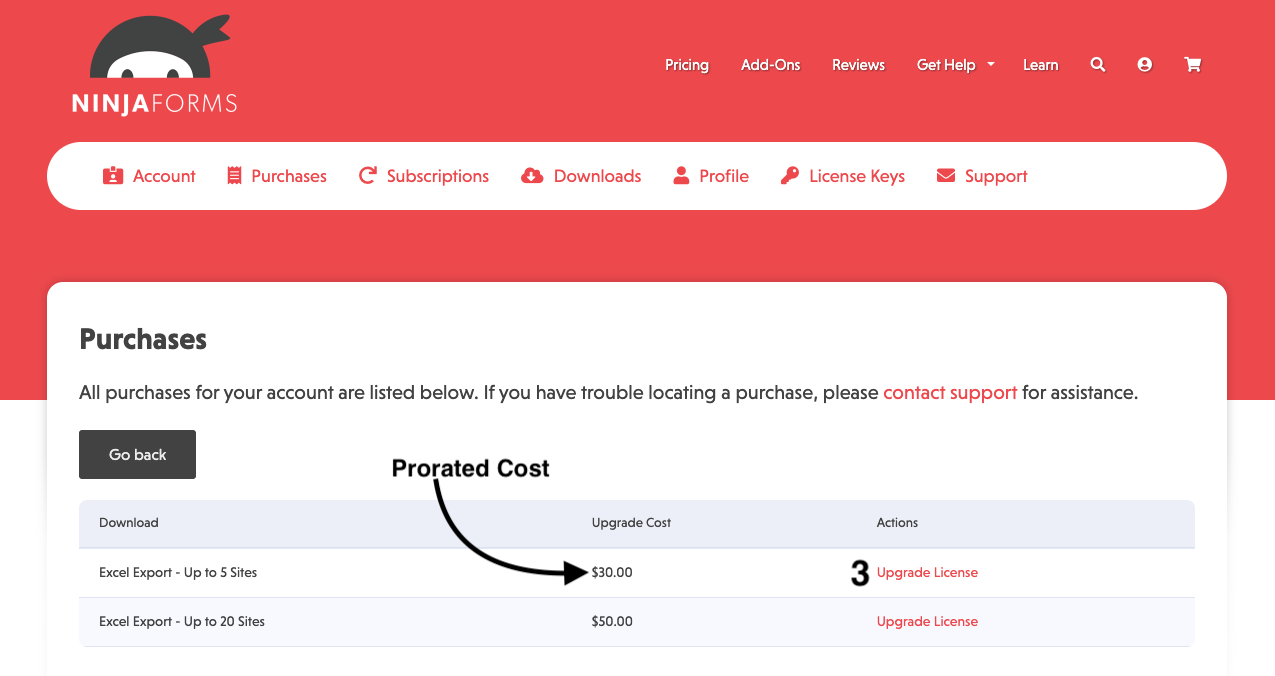
Any time you upgrade your license, your payment will be prorated. The value of the time remaining on your current license will be subtracted from the price of the license you’re upgrading to. The prorated cost will be displayed for you next to the option to upgrade.
To upgrade any license, log into your NinjaForms.com account and:
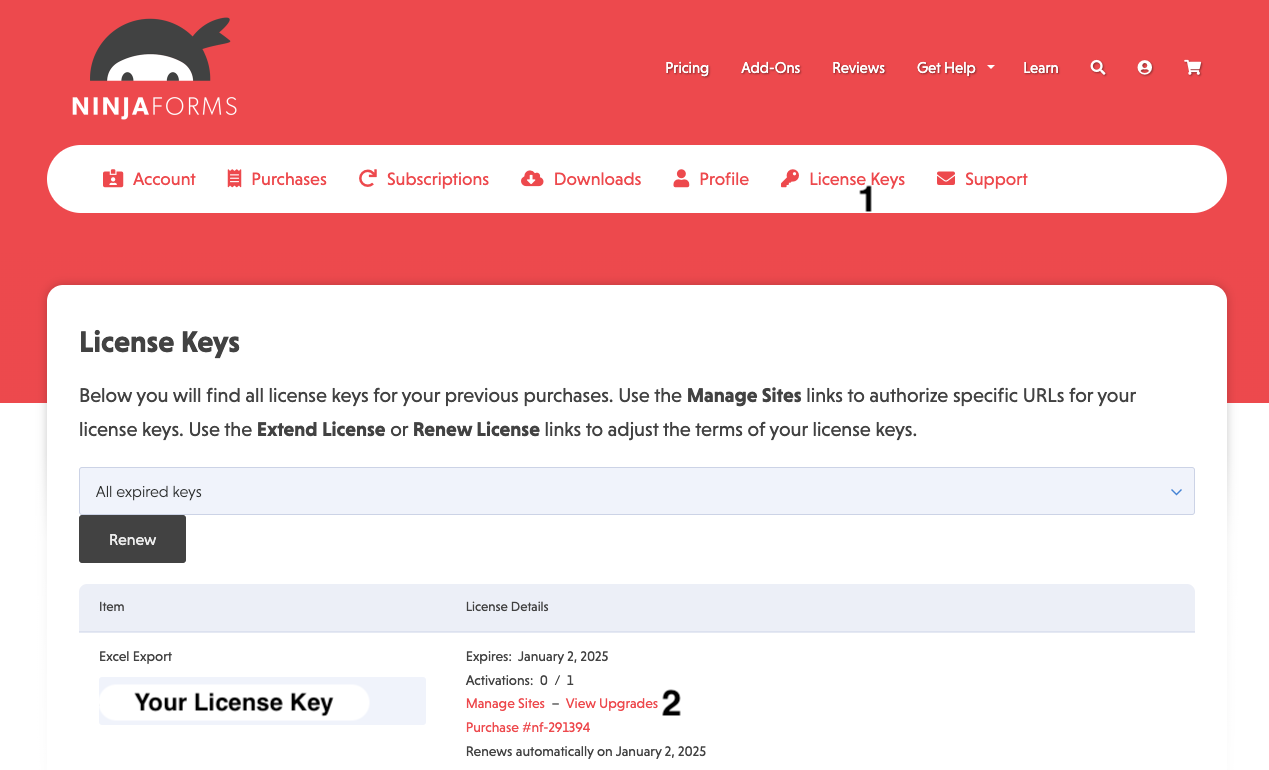
- Click on the License Keys tab
- Locate the license you want to upgrade and click View Upgrades
- Select the upgrade path you want to take and click Upgrade License