How Can the Simple Contact Form Template Be Used?
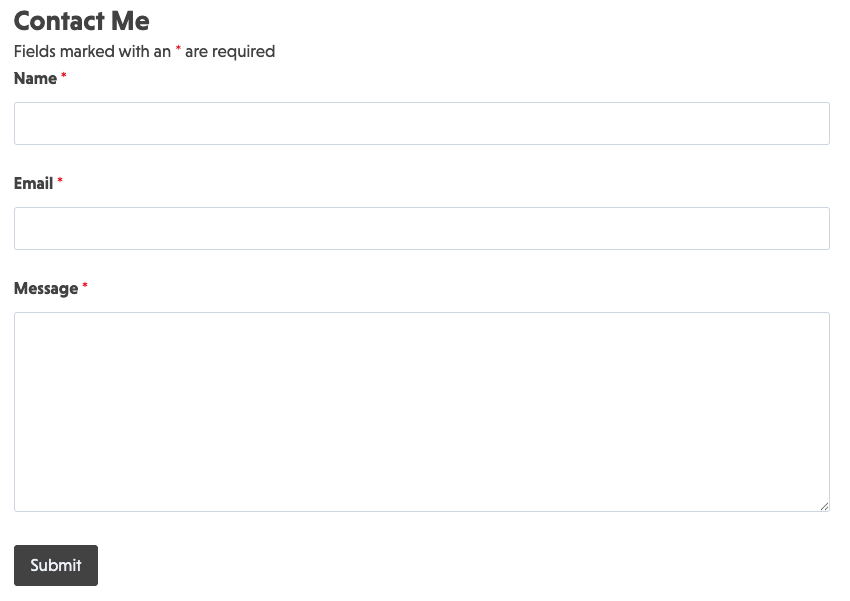
Lead generation and starting conversations just got easier! This template’s short, clear layout provides an inviting call to action for prospective customers to reach out to you. Its appeal lies in the straightforward structure, which includes only the most basic fields, including:
- Name
- Comment or message
More fields can be added using our easy drag-and-drop form builder, but keeping this contact form uncluttered provides an understated elegance.
How to Set It Up
This template provides a customizable structure that saves you time. Changing the name of a field or adding a logo is easy. You can also add fields so users can select a preferred follow-up method, or include a WordPress file upload plugin if your users need to include an image or attachment.
This template is built with integrated smart data collection, making it easy to add to your website:
- Download and import the template: Download and activate the template.
- Customize to fit your needs: Change the names of fields, add additional fields, and update the form to fit your website’s style.
- Configure your form settings: Integrate with your CRM or marketing platform to automatically capture and manage leads.
- Publish and share: Embed the form on your website and create a straightforward way for your customers and patrons to contact you.
Automated responses, including a thank-you message after submission, let users feel heard, while real-time updates to your team provide the information they require to respond promptly. Get the most from WordPress with this basic contact form template that simplifies client interactions.
Make it your template
Every template is ready to go live and fully customizable. Tweak a few things or renovate from the ground up. Ninja Forms gives you the tools either way.