The Campaign Monitor add-on needs to be installed and activated to see the features mentioned in this this documentation.
Setup Campaign Monitor
-
- Download Campaign Monitor from your NinjaForms.com account and install it using “Plugins” > “Add New” > “Upload” in your WordPress dashboard
- Activate Ninja Forms – Campaign Monitor on your “Plugins” page
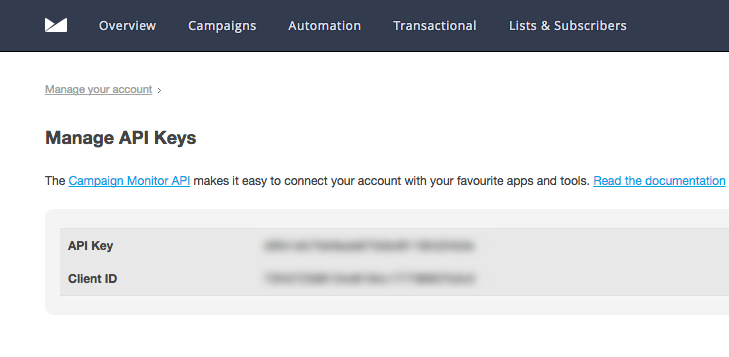
- Login to your Campaign Monitor account. Choose manage account, then select the API Keys section.

-
- Copy your API Key and Client ID.
-
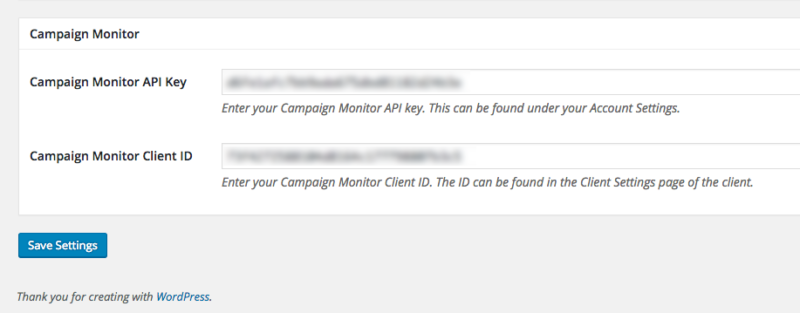
- Go to Ninja Forms -> Settings then find Campaign Monitor contact settings area and paste the API Key and Client ID into the fields provided.
Adding Campaign Monitor to your form
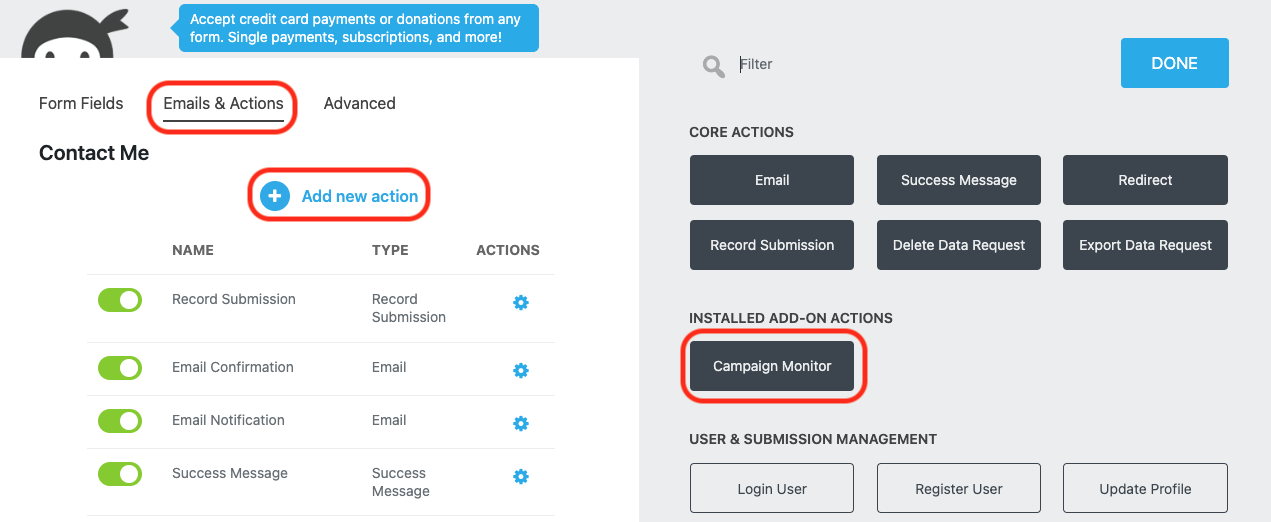
To add the action to any form, from the Emails & Actions tab click Add New Action and then the Create Post action from inside the Actions Window that opens.
Choose the Campaign Monitor list you would like the user subscribed to.
Note: You may need to refresh the list. To do this, click the icon beside the “List” label.
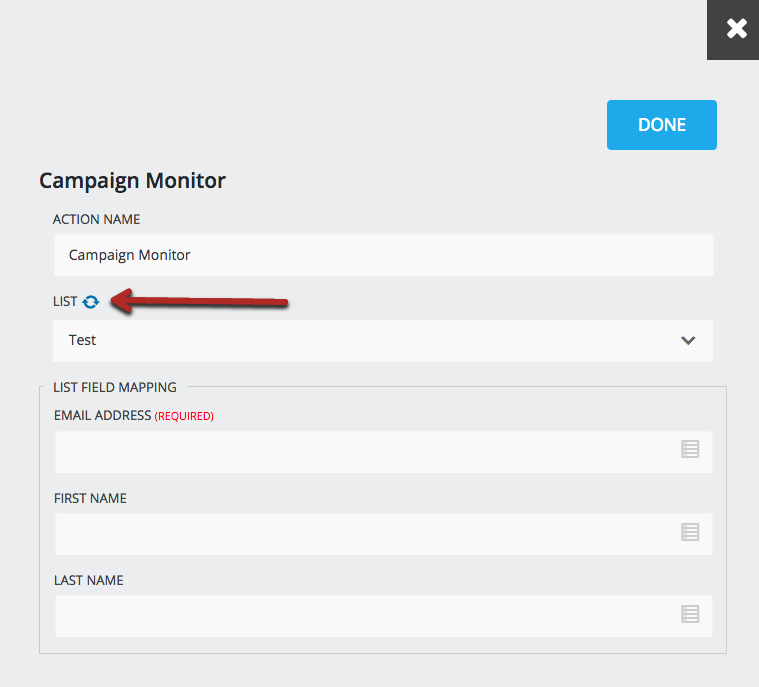
4. Map the Email field from the form you would like to subscribe to your Campaign Monitor list.

Campaign Monitor Opt-in field
The Campaign Monitor Opt-in field gives the user an option to choose if they want to be added to a Campaign Monitor list without the need to setup a Conditional Logic statement.
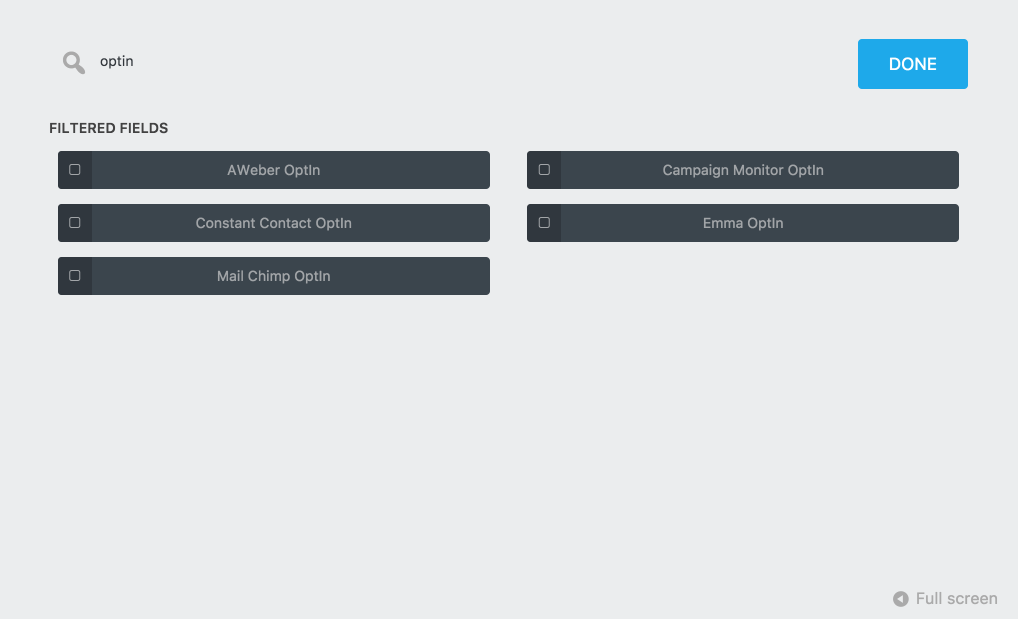
To add a Campaign Monitor Opt-in field to your form, click on the blue add field button, then choose the Campaign Monitor Opt-in.
If the Campaign Monitor Opt-in field is checked, the Campaign Monitor Action will be processed and the user will be added to the list.
If the Opt-in is unchecked, the Campaign Monitor Action will be ignored.
[su_divider top=”no” divider_color=”#ccc” size=”8″ margin=”50″]
[su_box title=”Campaign Monitor Tutorials & Blog Articles” style=”noise” box_color=”#eceff7″ title_color=”#EC494D” radius=”8″]
Proven Ways to Get More Newsletter Signups
[/su_box]